
WhatsApp Business API for Short-Term Rentals: What You Need to Know
The WhatsApp Business API is the only way to truly automate guest communication on WhatsApp — no message limits, no phone left open, and full GDPR compliance. For a property manager handling 10 or more units, it means stopping manual responses to repetitive questions and letting an AI system handle check-ins, instructions, and late-night requests in over 25 languages.
Capitolo 01 / 07
01 — WhatsApp Business App vs. WhatsApp Business API
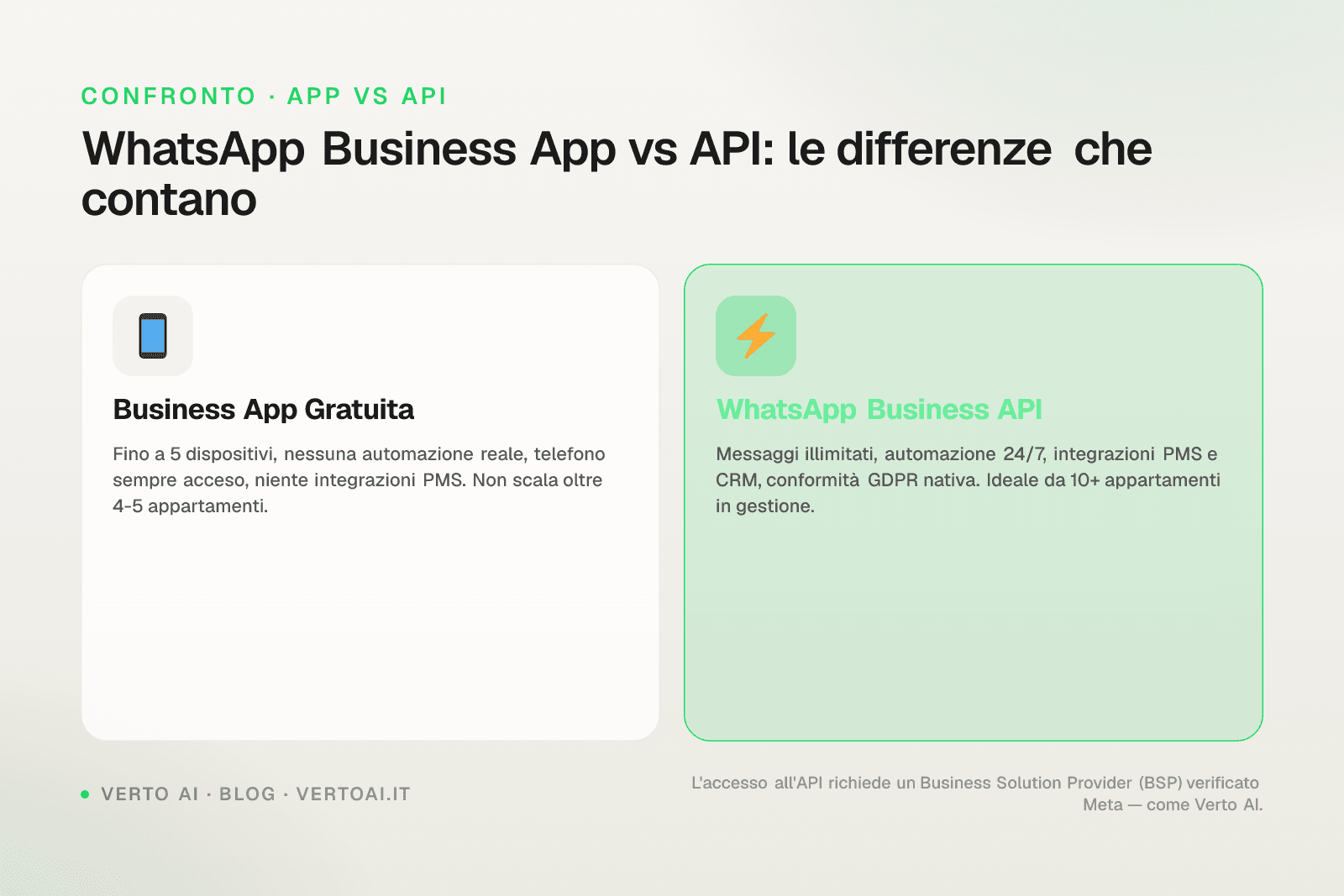
Many property managers already use the WhatsApp Business app on their phone. It's free, works well for one or two apartments, but has specific limitations that become real problems as the portfolio grows.
WhatsApp Business App: what it can't do
- Only one active device per number (or up to 5 with multi-device, but without real automation)
- No native integration with PMS or channel manager
- Automatic replies only with fixed away messages, no conversational logic
- No API access: impossible to connect external tools
WhatsApp Business API: what changes
Meta's official API lets you connect a WhatsApp number to external systems — CRM, PMS, AI platforms — that respond to guests autonomously, 24 hours a day. No need to keep a phone on, no human operator required for every message.
Dato
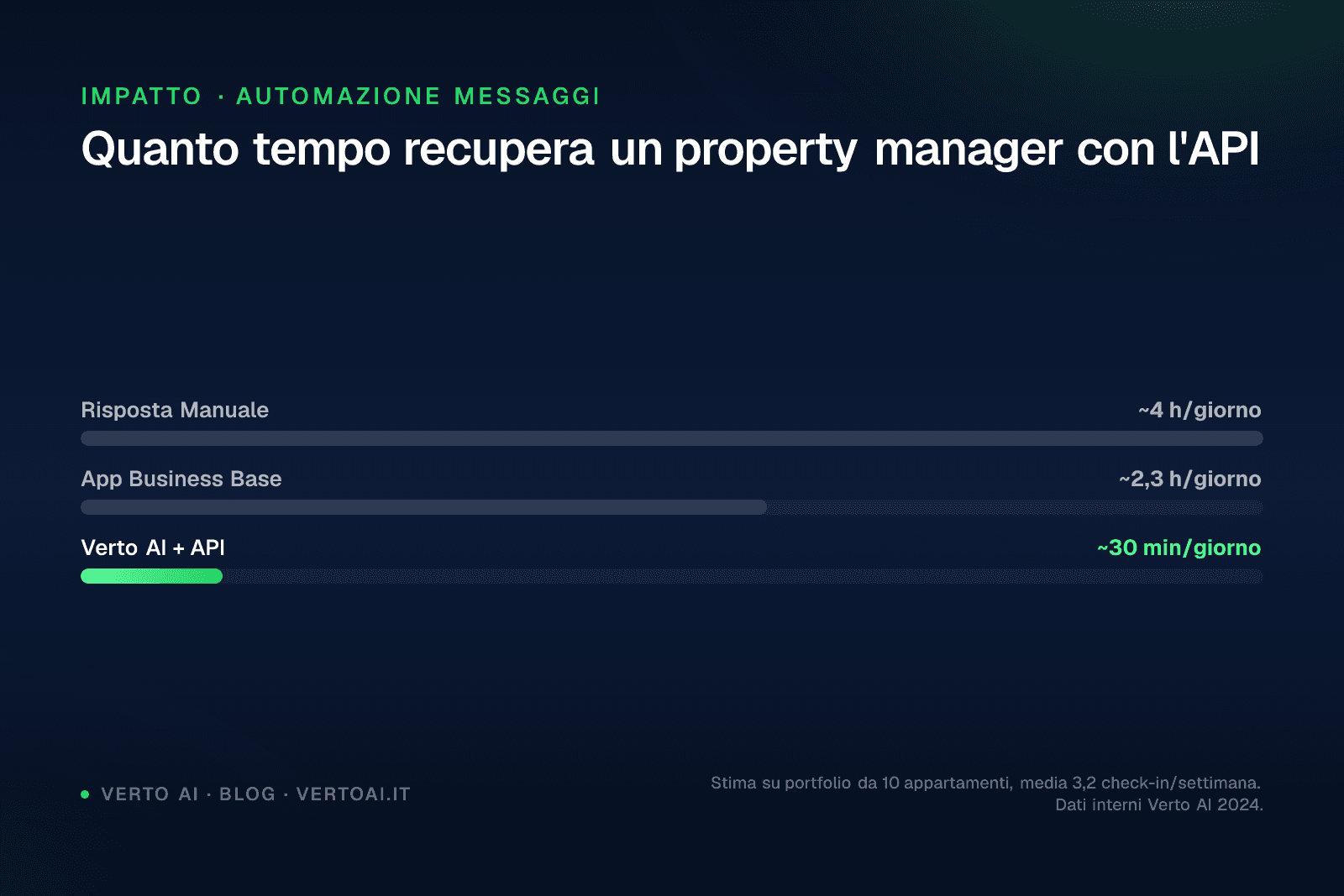
According to usage data collected from Italian property managers in 2025, those managing 10 or more apartments receive an average of 45–60 guest messages per day. Responding manually takes about 90 minutes. With a system based on the WhatsApp Business API, the same volume is handled in less than 15 minutes of supervision.
Dato
Tempo giornaliero per messaggi ospiti (portfolio 10+ apt)
Peak
90min/giorno
Gestione manuale
Range
15 – 90
min/giorno
API access doesn't come directly from Meta: you need to go through an authorised Business Solution Provider (BSP), or use a platform like Verto AI that already has access configured and manages the infrastructure on behalf of the property manager.
Capitolo 02 / 07
02 — How the WhatsApp Business API Works Technically
Understanding the technical mechanics helps you make informed decisions, even without being a developer.
The phone number
To use the API you need a dedicated phone number, not already registered on WhatsApp (neither the personal app nor WhatsApp Business). It can be an Italian landline or mobile number. Once registered on the API, that number cannot be used simultaneously on the app.
Conversations and templates
Meta distinguishes two types of messages:
| Type | When it's used | Approval required |
|---|---|---|
| Template (HSM) | First message to the guest (outbound) | Yes, by Meta |
| Free-form reply | Within 24h of a guest message | No |
Templates must be approved by Meta before use. They're needed for welcome messages, booking confirmations, and check-in reminders. Once the guest replies, a 24-hour window opens in which the system can respond freely, without templates.
Tip
Choose a platform that manages template approval for you. The process takes 24–48 hours and must be repeated every time the text changes.
Meta costs
Meta charges per conversation, not per individual message. Since 2024, service conversations (initiated by the guest) are free for the first 1,000 per month per account. Marketing conversations (initiated by the business) have a variable cost per country.
For an Italian property manager with 15 apartments, direct Meta costs typically remain below €20/month, because most conversations are initiated by guests.
Capitolo 03 / 07
03 — Steps to Activate WhatsApp Business API for Your Properties
Here's the practical path, from zero to fully operational.
Step 1 — Check the prerequisites
- You have a verified Meta Business Manager account
- You have a phone number not yet registered on WhatsApp
- You have a Facebook page or Instagram profile linked to the Business Manager (required by Meta)
- You have decided whether to use a direct BSP or a managed platform
Step 2 — Choose your access route
Direct route (BSP)you register with a provider like Twilio, 360dialog, or Infobip. You have maximum technical control, but you must manage the infrastructure, webhooks, and PMS integration yourself. Suitable if you have an in-house technical team.
Managed platform routeyou use a service like Verto AI that already has API access configured, templates ready for short-term rentals, and integration with your PMS. No code required. Operational in 2–3 business days.
Step 3 — Register the number
The registration process requires number verification via SMS or call. Meta checks that the number is not already on WhatsApp. If it is, it must first be removed (a process that can take up to 72 hours).
Step 4 — Create and get templates approved
The most useful templates for short-term rentals are:
- Welcome message with link to instructions
- Check-in reminder (sent 24h before arrival)
- Review request (after check-out)
- Issue notification (e.g. scheduled maintenance)
Attenzione
Templates cannot contain unapproved variables. Any change to the text requires a new approval. Plan your templates in advance.
Step 5 — Integrate with the PMS
Without PMS integration, every message must be managed manually. With integration, the system automatically knows when a guest is arriving, their name, which apartment they booked, and when they check out.
Verto AI integrates natively with Smoobu via live API. You can see how it works on the dedicated Smoobu integration page. Integrations with Lodgify, Hostaway, and Beds24 are on the roadmap for 2026.
Percorso
Percorso di attivazione WhatsApp Business API
Prerequisiti
€0Account Meta Business Manager verificato e numero dedicato pronto
Scelta percorso
€0BSP diretto (sviluppo custom) oppure piattaforma gestita come Verto AI
Registrazione numero
€0Verifica numero via SMS/chiamata, rimozione da WhatsApp se già registrato (fino a 72h)
Approvazione template
€0Creazione e invio template a Meta per approvazione (24-48h)
Integrazione PMS + Go Live
da €21,90/apt/meseConnessione con Smoobu o altro PMS, test e attivazione. Con Verto AI operativo in 2-3 giorni lavorativi
Capitolo 04 / 07
04 — What Does WhatsApp Business API Cost for Short-Term Rentals
Costs consist of two parts: the platform you use and Meta's conversation fees.
Meta costs
As explained above, service conversations (initiated by the guest) are free up to 1,000 per month. For a portfolio of 15 apartments with an average occupancy of 70%, monthly conversations are around 300–400. You stay well within the free threshold.
Marketing conversations (e.g. proactively sent check-in reminders) cost approximately €0.05–0.08 per conversation for Italian numbers. With 200 check-ins per month, the additional Meta cost is around €10–16/month.
Platform costs
| Solution | Indicative cost | PMS integration | Conversational AI |
|---|---|---|---|
| Direct BSP (Twilio) | €0 + custom development | Not native | No |
| Hospitable | ~€30–50/month flat | Partial | No (rule-based) |
| Verto AI (10+ units) | from €21.90/unit/month | Yes (native Smoobu) | Yes |
| Guesty | On request | Yes | Partial |
Verto AI starts from €21.90 per apartment per month with an annual contract for portfolios of 10 or more apartments. For smaller portfolios (1–3 apartments), the cost is €29.90/unit/month. The Analytics add-on costs an additional €4.90/unit/month.
Dato
On a portfolio of 15 apartments, the monthly cost of Verto AI is €328.50. If the system saves 75 minutes of manual work per day (at an opportunity cost of €25/hour), the estimated monthly saving is approximately €937. The cost-benefit ratio is positive from the very first month.
Capitolo 05 / 07
05 — WhatsApp Automation for Short-Term Rentals: What to Actually Automate
Not everything should be automated in the same way. Here's a practical breakdown.
Automate 100%
- Answers to frequently asked questions: Wi-Fi, parking, check-in/check-out times, how the washing machine works
- Sending access instructions (door code, key location)
- Acknowledgement of messages received outside office hours
- Pre-arrival and post-departure reminders
- Requests in foreign languages (AI responds in 25+ languages without human intervention)
Handle with human oversight
- Serious complaints (damage, structural issues)
- Refund requests or booking modifications
- Emergency situations
"The difference isn't between automating and not automating. It's between automating the right things and leaving room for human intervention where it truly matters."
— Francesco Noli, founder of Verto AI
A good WhatsApp automation platform for short-term rentals must know when to escalate to the property manager. Verto AI sends an immediate notification when it detects a message that requires human attention, rather than responding inappropriately.
If you're evaluating how to structure guest message automation more broadly, the article on how to automate guest messages on Airbnb covers the overall strategy in depth.
Capitolo 06 / 07
Conclusion: Where to Start
The WhatsApp Business API is not a complicated tool, but it requires some initial decisions that affect everything else: the number to use, the access route, the PMS integration. Getting these choices wrong means losing weeks of technical work.
If you manage 5 or more apartments and want to understand whether Verto AI is the right solution for your specific situation, you can request a free technical consultation. In 30 minutes we analyse your current stack (PMS, channels, message volume) and tell you exactly what you need to get up and running.
Conferma
No commitment. No setup required before the call. Just a concrete assessment.
Talk to the Verto AI technical team
Capitolo 07 / 07
Frequently Asked Questions about WhatsApp Business API for Short-Term Rentals
Can I use my personal WhatsApp number with the API?
No. The number used for the API cannot be simultaneously active on the personal or Business WhatsApp app. You need a dedicated number. If you want to convert an existing number, you must first remove it from WhatsApp (a process that takes up to 72 hours) and then register it on the API.
How long does it take to activate the WhatsApp Business API?
With a managed route (such as Verto AI), activation takes 2–3 business days: 1 day for number verification, 1–2 days for Meta's template approval. With a direct BSP and custom development, timelines depend on available technical resources and can reach 2–4 weeks.
Do guests need to install anything to receive WhatsApp messages?
No. The guest receives messages on their regular WhatsApp, like any other conversation. They don't need to install additional apps, create accounts, or do anything special. This is one of the main advantages over solutions based on web portals or dedicated apps.
Is the WhatsApp Business API GDPR compliant?
Yes, provided the platform using it complies with European regulations. Meta is certified for data processing in Europe. Platforms like Verto AI, with European infrastructure and compliant DPA (Data Processing Agreement) contracts, meet GDPR requirements. Always verify that your provider has a signable DPA.
Can I send promotional messages to guests via the WhatsApp Business API?
Yes, but with limitations. Promotional messages (offers, discounts, promotions) fall under marketing conversations and require explicit guest consent (opt-in). Without documented consent, Meta can suspend the number. For short-term rentals, it's more effective to focus on service messages, which have open rates above 90% and require no additional opt-in beyond the booking.
Keep going
Related resources
Want to see Verto on a real conversation?
No credit card required. Self-service setup in 30 minutes. Plugs into the channel manager you already use.